
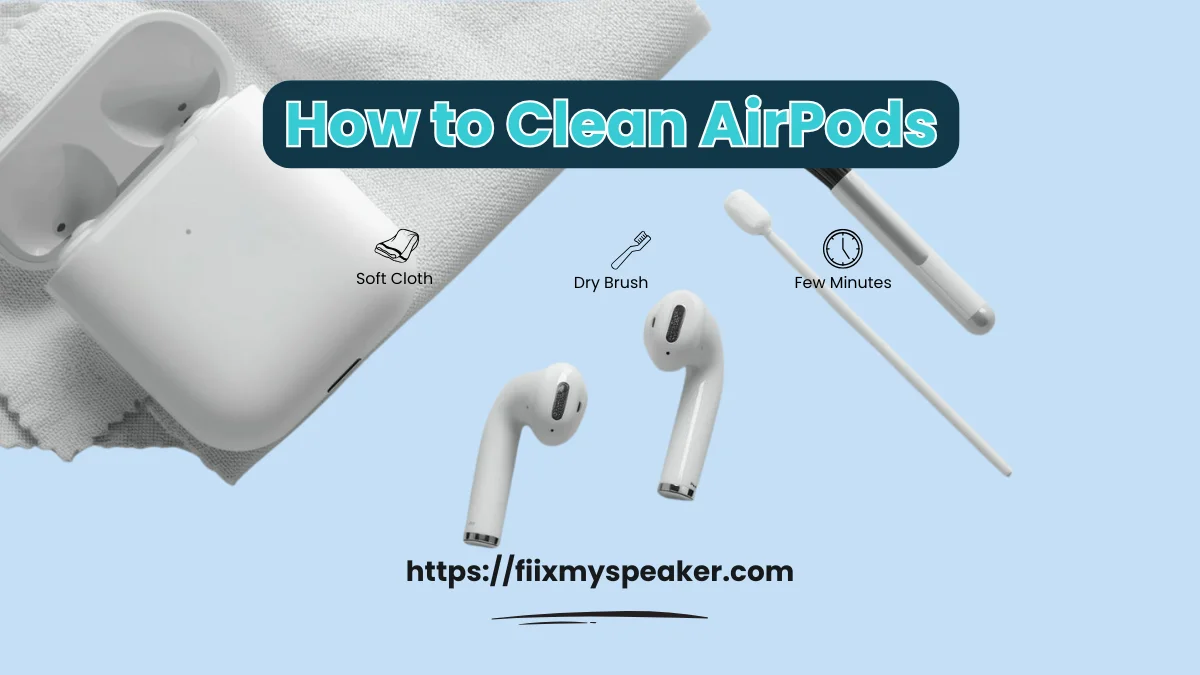
How to Clean Your AirPods: Simple Steps for Better Sound & Hygiene
How to clean AirPods is a question many users ignore, until the sound gets muffled. Every time you wear them, AirPods pick up earwax, dust, and dirt. Studies even suggest they can hold more bacteria than a toilet seat. Without regular cleaning, this buildup affects sound clarity and your ear health, which is why a simple cleaning routine matters.
You already own most of the tools at home. A soft cloth, a dry brush, and a few minutes restore the original performance. Follow the steps in this guide to remove dirt without harming the delicate parts.
Regular cleaning prevents muffled audio and keeps the earbuds hygienic. You will finish the job in under ten minutes and enjoy the crisp sound again.
How to Clean Your AirPods Without Damaging Them?
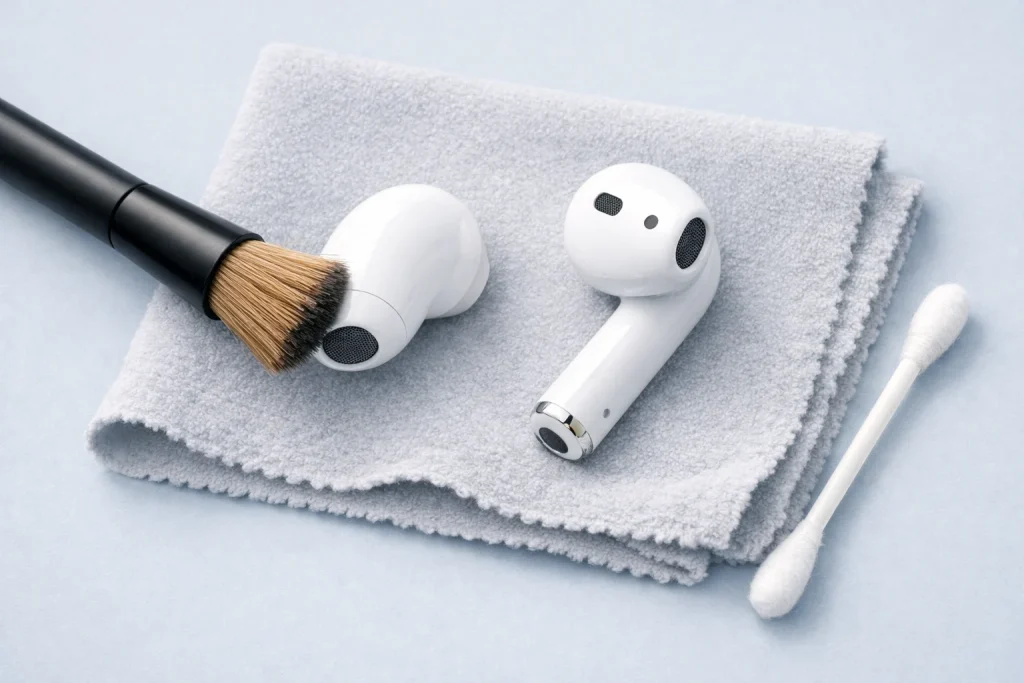
AirPods have tiny speakers and microphones that break easily if you use the wrong tools. Water or rough cloths push dirt deeper into the mesh and ruin the sound. You can avoid damage with gentle methods and the right supplies.
Apple says to stick with a soft, dry, lint-free cloth for most cleaning. Use a small, soft-bristled brush only on the outside mesh to lift earwax without forcing it inside. Never soak the buds or spray liquid directly on them.
You handle stubborn spots with a cloth barely damp with water. Wipe the surface, then dry it right away with a clean cloth. This keeps the parts safe while removing sweat and grime from daily use.
Use a Soft, Lint-Free Cloth for Wiping
A microfiber cloth works best for the smooth plastic body. Wipe in small circles to lift fingerprints, sweat, and daily dust. The cloth never scratches or leaves lint behind. Start with dry wipes for light dirt. For sticky spots, add one drop of water to the corner. Avoid paper towels or tissues; they shed fibers that clog the mesh. Clean the stems and edges last. Turn the buds under light to spot missed areas.
Finish with a quick polish for a new look. You can use the same cloth for glasses or phones. Keep one in your bag for quick wipes after workouts. The cloth removes oil that builds up from skin contact. Don’t press hard on the mesh area. Gentle pressure keeps the finish perfect.
Avoid Using Water Directly on AirPods
Never hold AirPods under a faucet or soak them. Water sneaks past seals and shorts the electronics inside. Even AirPods Pro only resist splashes, not full rinses. Use dry tools first every time. If you must, dampen a cloth with one drop of water only. Never add soap, bleach, or cleaning sprays.
If buds get wet by accident, wipe them fast with a dry cloth. Let them sit two hours before charging. Heat from a hairdryer warps the plastic, so skip it. Apple voids warranty for water damage. Stick to dry methods to stay safe. Check the sound after drying.
Safely Clean the Speaker Mesh
Hold the AirPod speaker-down so dirt falls out. Use a clean, dry toothbrush for light strokes across the mesh. Tilt and tap to shake loose wax and dust. A dry cotton swab cleans the edges without poking holes. Press the poster gently to lift the stuck gunk. Never use needles or pins.
Check the sound after cleaning. Play a song if one side stays muffled, wax hides inside. Brush again lightly. Clean both buds the same way. The mesh looks black when clogged. You see silver when clean. Do this weekly for daily users.
Best Way to Clean AirPods Charging Case
Open the case wide and blow lint from the charging wells. Wipe the inside with a dry microfiber cloth. Use a wooden toothpick to nudge out stuck debris gently. Clean metal contacts with a dry anti-static brush. Never use metal tools. Keep the case open to air-dry after.
Check the lid clicks smoothly when you close it. Lint in the ports stops charging. Clean the outside too for a full job. The case picks up pocket dust fast. Wipe it every time you clean the buds.
How to clean earwax out of AirPods
Earwax builds up on mesh and inside tip grooves. Scrape it with a soft plastic tool or dry toothbrush bristles. Roll poster putty into a tiny ball and press lightly it pulls wax out clean. Wipe the area with a dry cloth after. For Pro tips, remove silicone and rinse only the tips under water.
Dry tips fully before reattaching. Never rinse the buds themselves. Wax looks yellow or brown when stuck. Clean sound returns when it’s gone. Do this step last so loose wax doesn’t spread. Test audio after to confirm both sides match.
Best way to clean any AirPods
Every AirPods model needs the same safe routine to stay clear and working. Start with a dry microfiber cloth on the plastic body to remove fingerprints and sweat. Use a soft toothbrush on the speaker mesh to lift dust without pushing it inside. For Pro models, pull off the silicone tips and rinse only those under water. Dry every part fully with a cloth before you close the case. This method fits AirPods 1, 2, 3, Pro, and Max.
You finish the job in minutes and keep the sound crisp. Test the audio after cleaning to catch missed wax. Clean weekly if you wear them daily. The case collects lint too, so wipe it at the same time. Store the buds inside the case to block pocket dust.
Use of Cleaning Tools
A microfiber cloth wipes the smooth body without scratches or lint. A clean, soft toothbrush brushes the mesh and ports gently. Wooden toothpicks nudge lint from the case contacts. Poster putty in a tiny ball pulls earwax out cleanly. Keep all tools in a small zip bag so they stay ready and dust-free.
You already own most of these items at home. The cloth works for glasses too. Replace the toothbrush when bristles wear out. Never use metal tools or rough paper. Store the putty away from heat to keep it sticky.
How to clean AirPods case
Open the case wide and tap out loose dust from the wells. Wipe the inside with a dry microfiber cloth in small circles. Run a wooden toothpick around the metal contacts to lift stuck lint. Brush the hinge with the soft toothbrush. Leave the lid open five minutes so hidden moisture dries.
Check that the lid clicks smoothly when you close it. Lint in the ports stops charging. Clean the outside shell the same way. Pocket dust builds up fast in the case. Wipe it every time you clean the buds.
Mistakes to Avoid While Cleaning AirPods
Never soak buds or case in water or any cleaner. Skip paper towels they shed lint into the mesh. Don’t poke metal pins inside ports or speakers. Avoid compressed air; the blast dents the mesh. Never charge AirPods while they stay damp or the battery shorts.
People ruin AirPods by rushing with the wrong tools. Water damage voids the warranty. Sharp objects tear the mesh. Heat from a hairdryer warps plastic. Always dry fully before you charge.
Tips to Keep Your AirPods Cleaner for Longer
Store AirPods in the case every time you finish listening. Wipe them with the microfiber cloth after workouts. Clean the mesh weekly for daily use. Keep a small cleaning kit in your bag. Wash your hands before you touch the buds to cut oil transfer.
The case blocks dust when closed. Quick wipes stop wax buildup. A clean routine adds years to the buds. Share the case, not the buds, to stay hygienic.
How to Clean Your AirPods to Remove Earwax and Improve Audio Quality
Earwax blocks the speaker mesh and muffles the sound in one or both buds. You hear music quieter on one side or voices sound dull during calls. A quick clean lifts the wax and brings back clear, balanced audio. You need only a cloth, soft brush, and five minutes.
Hold each AirPod speaker-down and brush the mesh with a dry toothbrush in short strokes. Press a tiny ball of poster putty on the wax to pull it out. Wipe the area with a microfiber cloth. Play a song to test both sides match when the wax is gone.
Tips for Better Results
- Use a soft, dry brush or AirPods cleaning kit to avoid damaging the mesh.
- Never use water or liquid cleaners, as moisture can harm internal components.
- Clean the charging case too, since trapped dirt can transfer back to the buds.
- Check for earwax buildup weekly to maintain top sound quality.
- Use Fix My Speaker or similar sound-cleaning tools if wax affects speaker performance.
Conclusion
Cleaning your AirPods regularly keeps sound balanced and prevents performance issues. Use soft, dry tools first, avoid poking or forcing objects into meshes or ports, and only use small amounts of fast-evaporating liquids (micellar/distilled water or isopropyl on a cloth) when absolutely needed. Work gently, test after each step, and clean the charging case too small habits extend lifespan and keep audio clear.
FAQs
How Can I Clean the Inside of My AirPod?
You should never open or insert objects into the inside of your AirPod. Instead, use a dry brush or cotton swab to clean around the mesh area. If debris is stuck inside, gently tap your AirPods upside down on a soft cloth to shake it out.
What’s Best to Clean AirPods?
The best and safest cleaning method includes using a soft microfiber cloth, cotton swabs, and a small amount of isopropyl alcohol (70%) for disinfecting. Avoid household cleaners, sprays, and water.
How to Clean Muffled AirPods?
If your AirPods sound muffled, it’s likely due to earwax or dust blocking the speaker mesh.
- Gently brush the mesh with a dry toothbrush.
- Use a cotton swab dipped in alcohol (slightly damp) around the edges.
- Use cleaning gel to lift any trapped particles.