
How to Clean Your Phone Speaker for Crystal-Clear Audio
Phone Speaker Cleaner
Clean the bottom loudspeaker — restore music, ringtone & media clarity.
Dust, lint, and tiny dirt particles often block your phone’s speaker, making your sound muffled or unclear. A good phone speaker cleaner helps remove debris and restore crisp, clear audio in seconds. You can use simple tools like a soft brush, compressed air, or sound wave apps that push out dust safely. Regularly using a phone speaker cleaner can prevent muffled sound and extend your device’s life. Whether your speaker has water, dust, or dirt, these easy cleaning tips will help you keep your phone sounding brand new.
Why Do You Need to Clean Your Speaker?
Dust and pocket lint build up inside phone speakers over time, blocking the tiny holes and trapping sound waves. This common problem hits anyone who carries their phone daily, turning clear calls into fuzzy ones. Cleaning removes these bits so air flows freely and audio comes out as intended.
🔊Maintain Sound Quality
Dust sticks to the speaker’s diaphragm, the thin part that vibrates to make noise. When it gets coated, high notes lose their edge and bass turns muddy. Users often notice this during podcasts or music, where details fade away.
Regular cleaning lets the diaphragm move without drag, so every tone rings true. You hear the full range again, from sharp alerts to deep rumbles in videos. This fix works for both earpieces and bottom speakers on iPhones or Androids.
⚠️Prevent Damage
A phone speaker cleaner removes grime before it harms the delicate internal parts.Over weeks, this strain warps the coil and scratches the mesh cover. Water adds rust if left behind, turning a small spill into a big repair bill.
Cleaning early stops these breakdowns before they start. It clears paths for heat to escape, avoiding shorts in wet conditions. Phone owners in humid spots or with kids splashing around see fewer failures this way.
⏳Improve Longevity
Built-up debris forces speakers to push harder, wearing out coils and seals faster. In dusty homes or bags, this cuts a speaker’s life from years to months. Heat from the extra effort melts glue holds, leading to cracks.
Fresh speakers handle daily use without fatigue, lasting through software updates and drops. Cleaning every few months keeps the internals cool and flexible. This saves cash on fixes and keeps your device reliable longer.
📱Enhance Appearance
Clogged grilles look spotted with lint and smudges, making your phone seem worn out quick. Finger oils mix in, leaving a dull film over the black mesh. Friends spot it during chats, and it clashes with a sleek case.
A wiped-down speaker shines like new, with clean lines that match the screen’s gloss. It boosts the whole phone’s vibe, especially on clear-backed models. Simple upkeep here makes your gear feel fresh without much effort.
How to Clean My Phone Physically
1. Clean My Phone Case
Your phone case protects your device but also traps dirt, sweat, and germs. Remove it and wash with warm soapy water if it’s silicone or plastic, then dry completely before putting it back. For leather cases, use a damp cloth and gentle cleaner to avoid damage. Regular cleaning keeps your case looking fresh and free from bacteria.
2. Picking the Appropriate Phone Cleaner To Clean My Phone
Always choose mild and phone-safe cleaners like 70% isopropyl alcohol or microfiber wipes. Avoid using glass cleaners, bleach, or strong chemicals that can damage coatings. Lightly dampen a soft cloth instead of spraying directly on your phone. This method removes smudges and disinfects without harming your screen or finish.
3. Cleaning Charging Port
Dust and lint in the charging port can block power flow and cause connection issues. Turn off your phone and gently use compressed air or a soft plastic tool to clear out debris. Avoid metal objects, as they can bend the pins. Keeping this port clean ensures faster charging and fewer technical problems.
4. Using Toothbrush to Clean My Phone’s Hard-to-Reach Areas
A clean, soft-bristled toothbrush is great for removing dirt around buttons, edges, and the camera. Lightly dip it in alcohol if needed, and brush gently to lift out grime without scratching surfaces. Afterward, wipe with a dry microfiber cloth. This simple method keeps your phone looking neat and well-maintained.
5. Complete Cleaning of Speaker Grills
Speaker grills often trap lint and dust that muffle sound. Use a dry brush or a small piece of adhesive putty to pull dirt out carefully. Avoid poking with sharp tools or pushing debris deeper. For best results, run a phone speaker cleaner app or use a soft brush regularly to prevent muffled audio.
Secure and Clean My Phone Digitally
1. Using Strong Passwords
A strong password is your first defense against hackers. Use a mix of uppercase and lowercase letters, numbers, and special symbols instead of simple words. Avoid personal details like birthdays. You can also use a password manager to generate and safely store complex passwords for all your accounts.
2. Enable Two-Factor Authentication (2FA)
Two-factor authentication adds a second security layer by requiring a code or app confirmation after your password. It prevents unauthorized access even if someone knows your password. Enabling 2FA on accounts like Gmail, Facebook, and Instagram makes your phone data far more secure and private.
3. Keeping Software Updated
Regular software updates fix bugs, patch security holes, and improve performance. Turn on automatic updates so your phone’s system and apps always stay current. These updates protect you from malware and hackers while ensuring your device runs smoothly and efficiently over time.
4. Avoiding Suspicious Links and Downloads
Be cautious of unknown links in emails or messages they might lead to scams or viruses. Only download apps from trusted stores like Google Play or Apple App Store. Avoid giving unnecessary permissions to apps. Staying alert helps prevent malware infections and protects personal information.
5. Installing Security Software
Installing trusted antivirus or security apps helps monitor threats in real time. Tools like Bitdefender or Norton can scan files, detect malware, and block phishing attempts. Keep your security software updated but use only one program at a time to avoid slowing down your phone.
6. Keeping Backup Data Regularly
Regular backups ensure your photos, contacts, and files stay safe even if your phone is lost or damaged. Use cloud options like Google Drive or iCloud for automatic syncing, or save copies on your computer. This habit guarantees you never lose important data unexpectedly.
Fix My Speaker: Device-Specific Cleaning Tips
Every device has a unique speaker design, so cleaning methods that work for one may harm another. Whether you use an iPhone, Android, or earbuds, the Fix My Speaker method helps you remove dust, water, and debris safely restoring crystal-clear sound without needing repairs. Below are the best ways to clean different devices while keeping them protected from internal damage.
📱Cleaning iPhone Speakers
iPhone speakers, especially the earpiece and bottom grill, are finely built and can trap lint, dust, or pocket debris. To clean them safely:
- Use a soft, dry toothbrush or anti-static brush to gently remove particles from the mesh.
- Avoid compressed air, as Apple warns it can push dust deeper inside.
- For water removal, use the Fix My Speaker tool, which plays a specific 165Hz tone to eject trapped moisture through vibration.
- Check and clean the Lightning port as lint buildup can also affect sound output and charging.
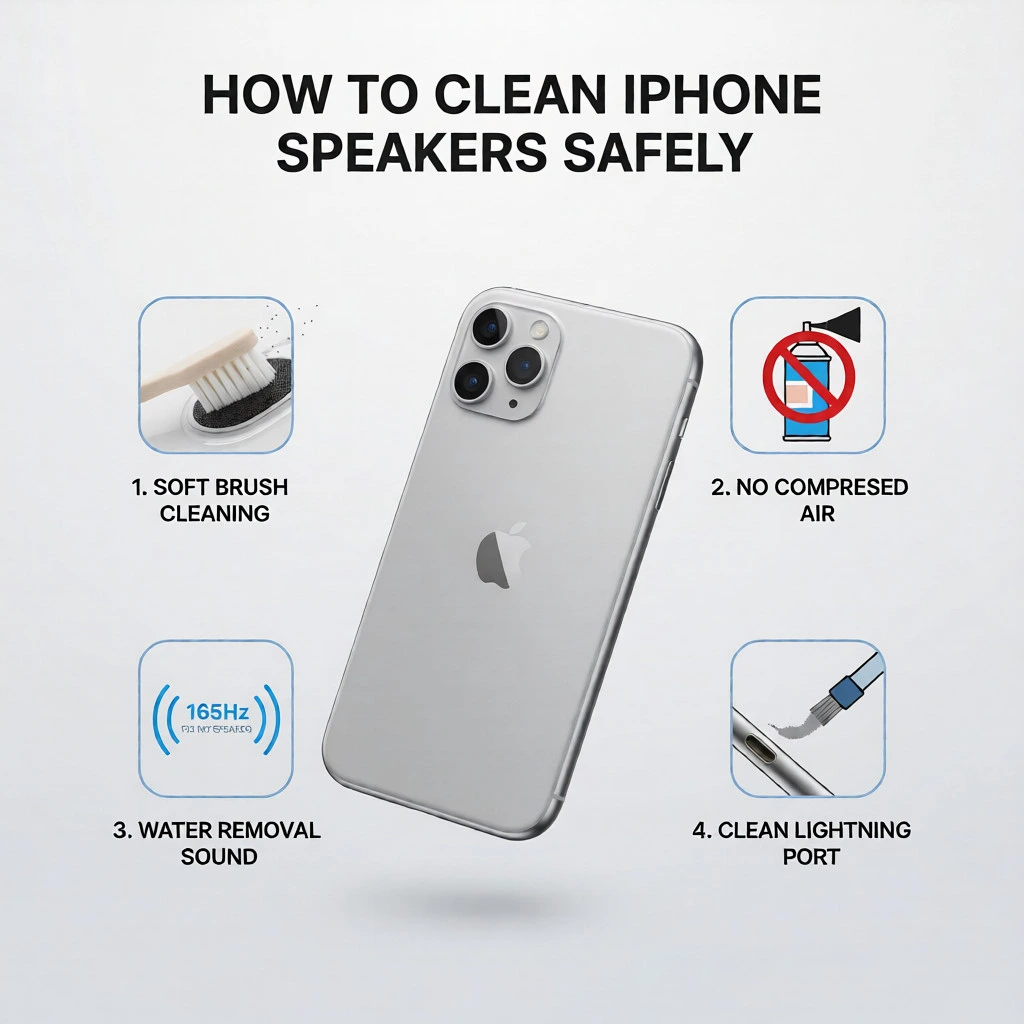
Cleaning your iPhone speakers with these steps keeps the mesh clear, prevents muffled audio, and ensures a crisp sound experience every time you play music or take calls.
🤖Cleaning Android Phone Speakers
Most Android phones, including Samsung, Xiaomi, and Google Pixel, feature bottom-firing or side speakers that collect dust easily. Fortunately, Cleaning Android Phone Speakers is generally safer on these models, as Android devices are designed to handle gentle cleaning methods better.
- Use short bursts of compressed air or a dry microfiber cloth to remove dust from the grills.
- For deeper cleaning, gently press painter’s tape or adhesive putty over the holes to lift stubborn lint.
- Open the Fix My Speaker app or website and run a few sound cycles to push out hidden water or fine dust.
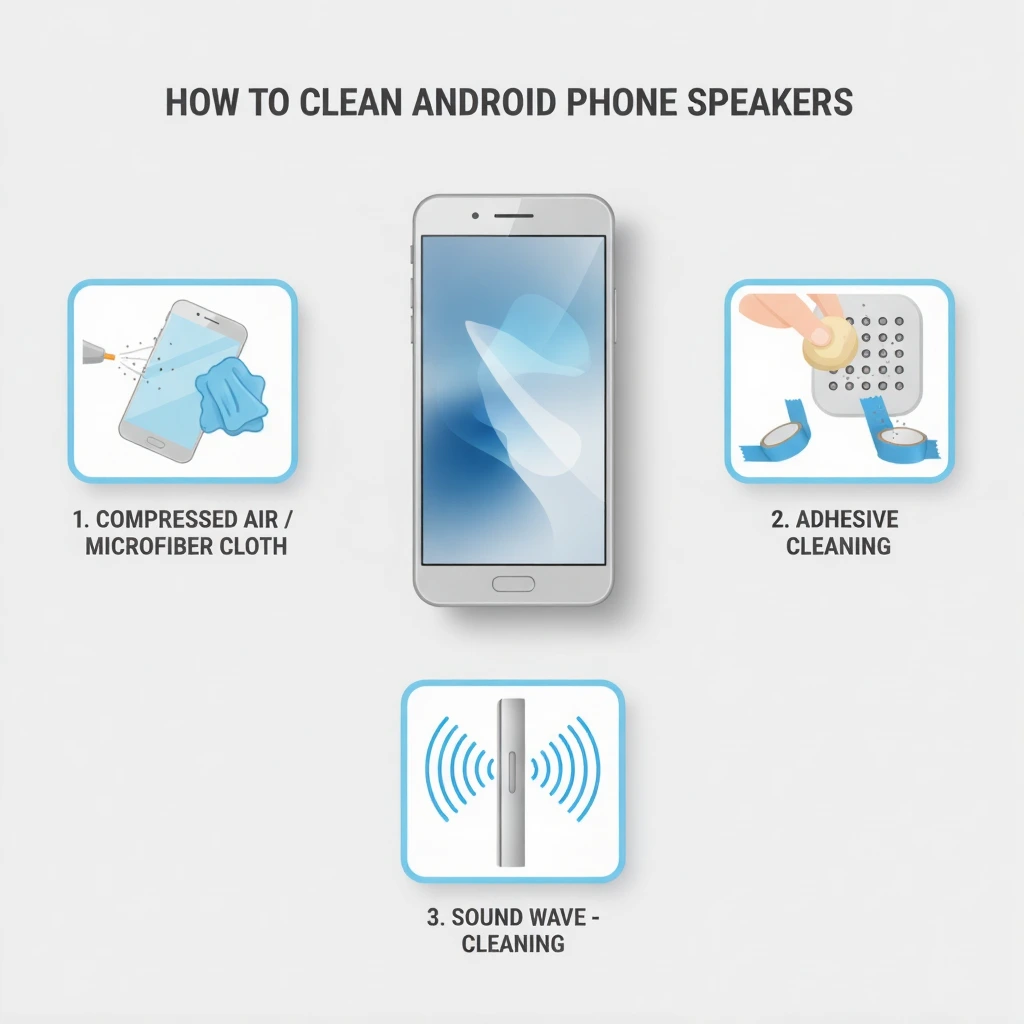
After cleaning, play a song or ringtone to test the audio clarity. You’ll instantly notice louder, more balanced sound without any distortion.
🎧Cleaning Earbuds and Bluetooth Accessories
Earbuds and portable Bluetooth speakers need extra care since their speaker openings are smaller and more prone to clogging:
- Remove silicone ear tips and wash them in mild soapy water. Dry them completely before reattaching.
- Use a soft brush or cotton swab to gently clear wax and dirt from the earbud mesh.
- For Bluetooth speakers, wipe the outer surface with a slightly damp microfiber cloth and use short air bursts to clean grills or ports.
- If your earbuds sound muffled after exposure to water, run Fix My Speaker’s sound waves to eject any trapped droplets.
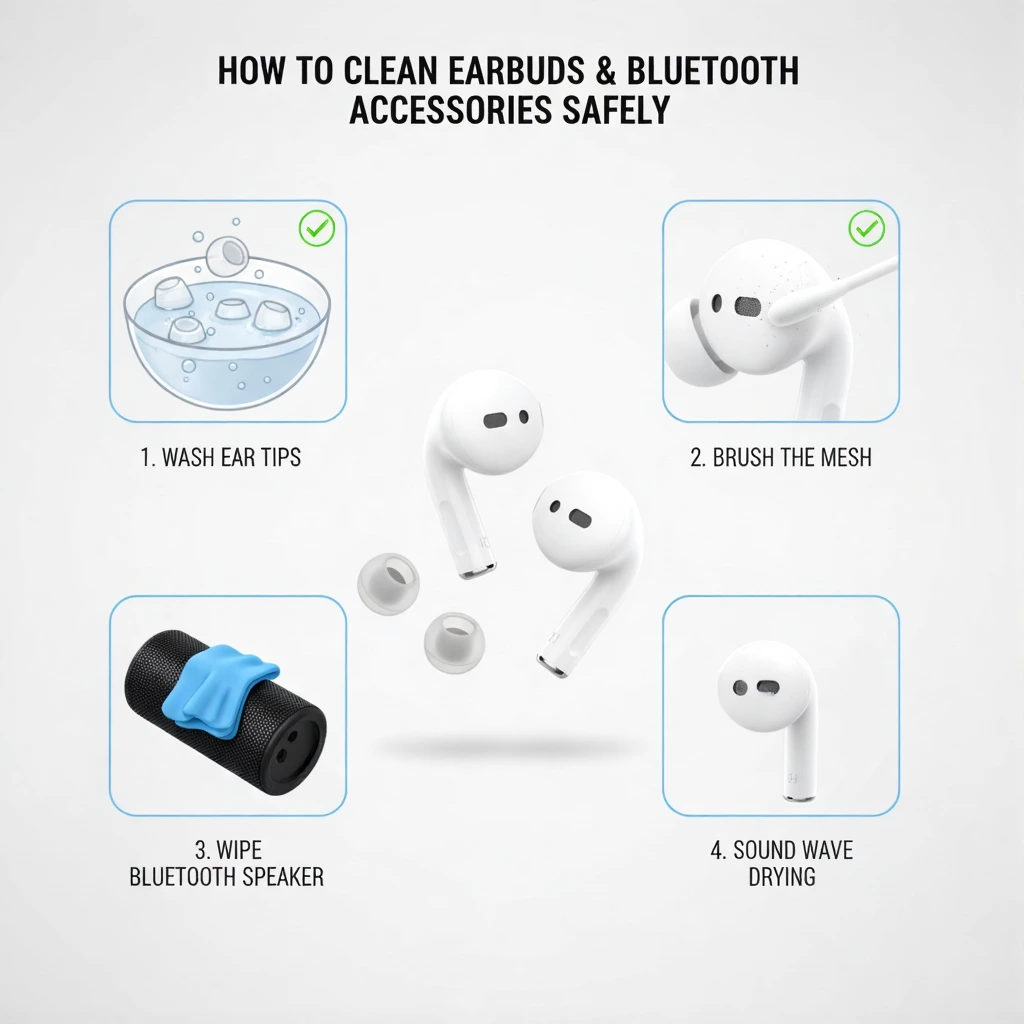
Consistent cleaning ensures your earbuds deliver balanced bass and crisp treble, keeping your listening experience flawless.
Pro Tips for All Devices
Always turn off your device before cleaning to avoid short circuits.
Never use sharp objects or metal tools on speaker grills.
Keep your phone in a clean case and away from dusty pockets or damp areas.
Use Fix My Speaker once a week to eject moisture and keep your speakers in top condition.
Final Words
Keeping a phone speaker cleaner handy makes it easy to maintain performance and sound quality. A clean phone case, dust-free ports, and spotless screen keep your device running smoothly. At the same time, strong passwords, two-factor authentication, software updates, and backups ensure your digital safety.
Treat your phone like both a valuable tool and a digital vault. Clean it physically once a week and perform a digital cleanup every month. This routine not only makes your phone last longer but also gives you peace of mind knowing that your data and your device are safe, secure, and performing at their best.